Workspace Setup: Your Complete Guide
Configure your desk, chair, monitor, and accessories for lasting comfort. This guide applies whether you work in an office, at home, or in a hybrid setting.
The Desk Height Foundation
Your desk height sets the stage for everything else. Get this right, and the rest becomes easier.
Measuring Your Perfect Height
Sit in your regular work chair with your feet flat on the floor. Your elbows should rest at approximately 90 degrees when your hands are on the desk. Your forearms should be roughly parallel to the ground.
- Step 1: Measure the distance from your floor to your elbow (when seated)
- Step 2: This measurement is your ideal desk height (or very close to it)
- Step 3: Adjust your desk or use risers/shims to match
Tip: Most standard desks are 28–30 inches. If that doesn't suit your body, adjustable desks are increasingly affordable.
Monitor Positioning
Your monitor distance and height directly influence neck strain and eye comfort.
| Setting | Ideal Position | What to Adjust |
|---|---|---|
| Distance from Eyes | Arm's length (roughly 50–70cm) | Move monitor closer or further; use monitor arm |
| Vertical Height | Top of screen at or slightly below eye level when looking straight ahead | Use monitor stand, arm, or separate riser |
| Screen Angle | Slightly tilted upward (10–20 degrees) | Adjust monitor tilt bracket |
| Glare & Brightness | No reflected light; screen brightness matches ambient light | Reposition away from windows; adjust brightness |
Multi-monitor setups: Place the primary monitor directly in front and secondary to the side. Avoid twisting your neck by rotating your whole chair.
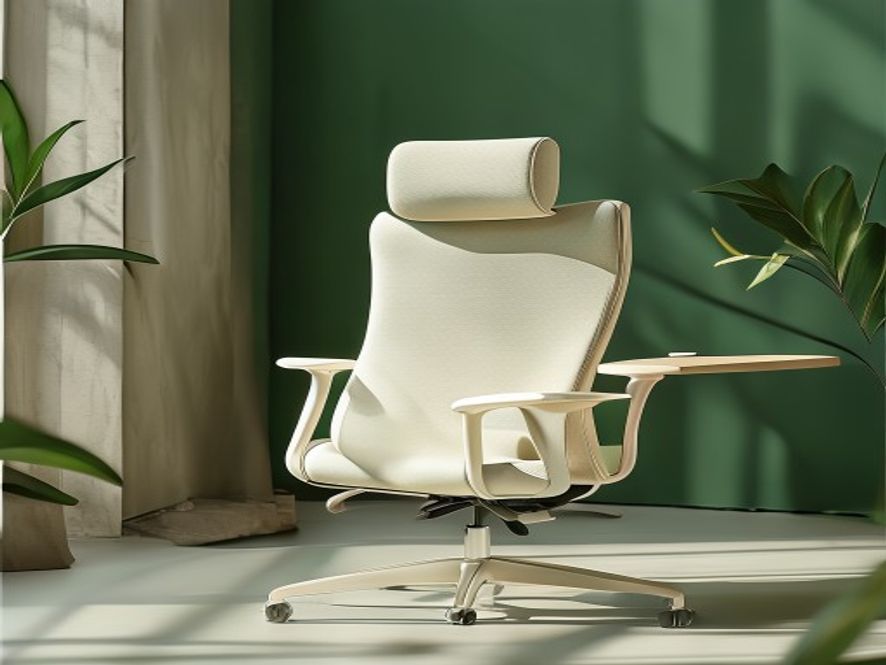
Chair Selection & Adjustment
Key Adjustments
Seat Height
Feet flat on floor; thighs parallel to ground.
Backrest Support
Lumbar support curves inward; fills the small of your back.
Armrest Height
Elbows rest gently; shoulders relaxed, not shrugged.
Seat Depth
A hand's width between seat edge and back of knees.
Quick Setup Checklist
This Week
- ☐ Measure desk height (elbow test)
- ☐ Check monitor distance (arm's length)
- ☐ Adjust chair seat height
- ☐ Position backrest support
Next 2 Weeks
- ☐ Fine-tune monitor height
- ☐ Test armrest positioning
- ☐ Add footrest if needed
- ☐ Install monitor arm (if upgrading)
Optimisation
- ☐ Add desk lamp (task lighting)
- ☐ Position keyboard tray if needed
- ☐ Test and adjust daily
- ☐ Schedule movement breaks
Keyboard & Mouse Positioning
These small details prevent repetitive strain in your wrists and hands.
Keyboard Placement
- Height: Elbows at 90°, wrists in neutral line
- Distance: Close to body, not stretched
- Angle: Slight slope downward (negative tilt) or flat
Mouse Positioning
- Height: Same as keyboard (wrist neutral)
- Distance: Directly beside keyboard
- Type: Ergonomic or vertical to reduce rotation
Wrist Health
- Support: Use wrist rest pads during typing
- Movement: Pause and stretch every 30 minutes
- Tension: Keep shoulders and arms relaxed
Common Setup Mistakes (and Fixes)
Ready to Optimise Your Workspace?
Get professional guidance tailored to your specific setup. Book a free assessment.
Book Your Assessment